|
Installing Sheerpower Step-by-Step |
Sheerpower can be installed on any recent version of Windows. The
install takes less than two minutes after
downloading
the installer.
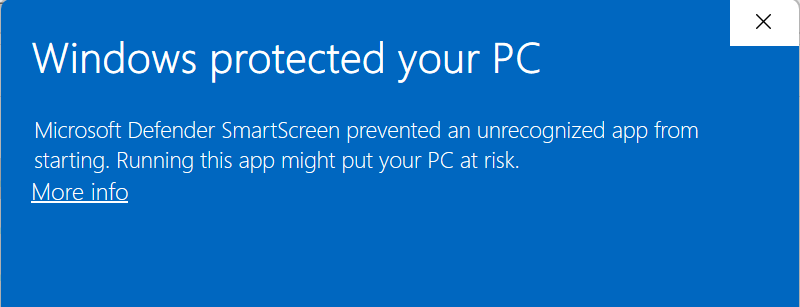
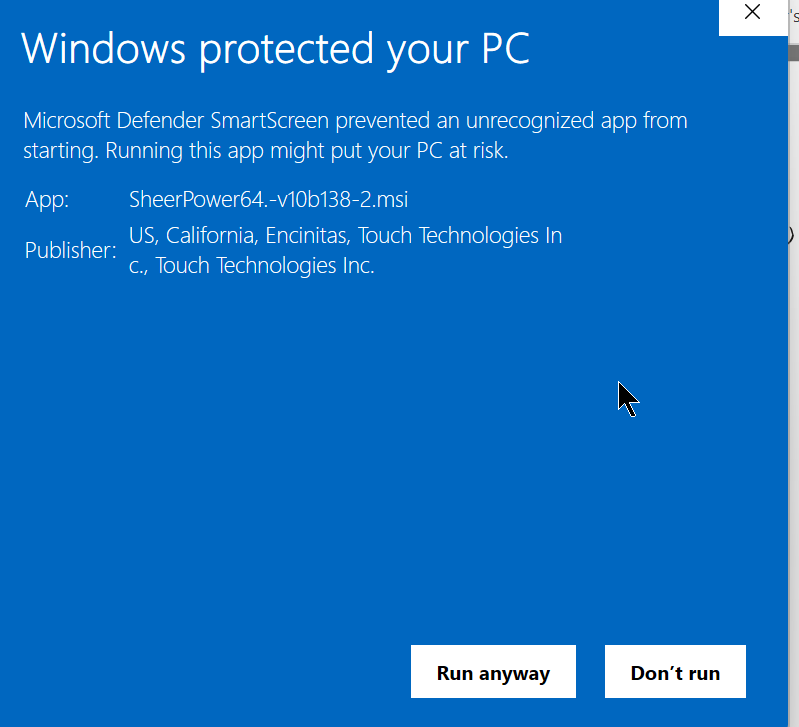
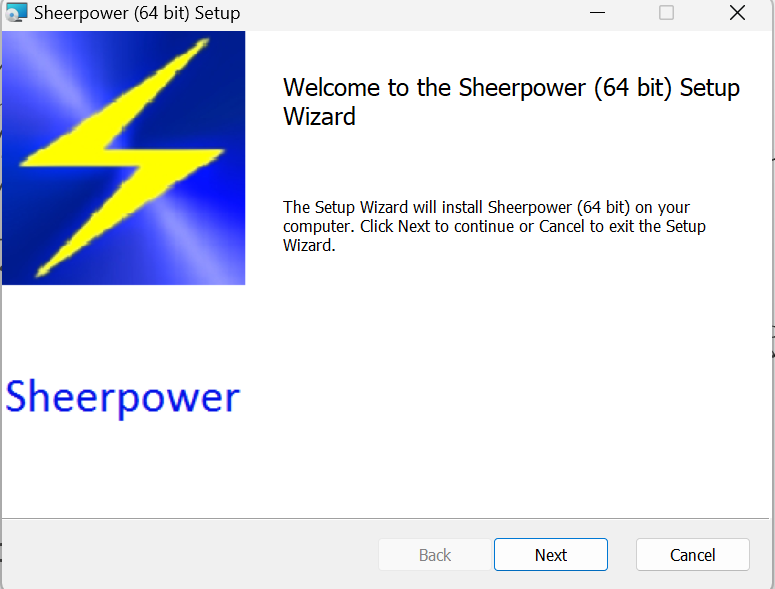
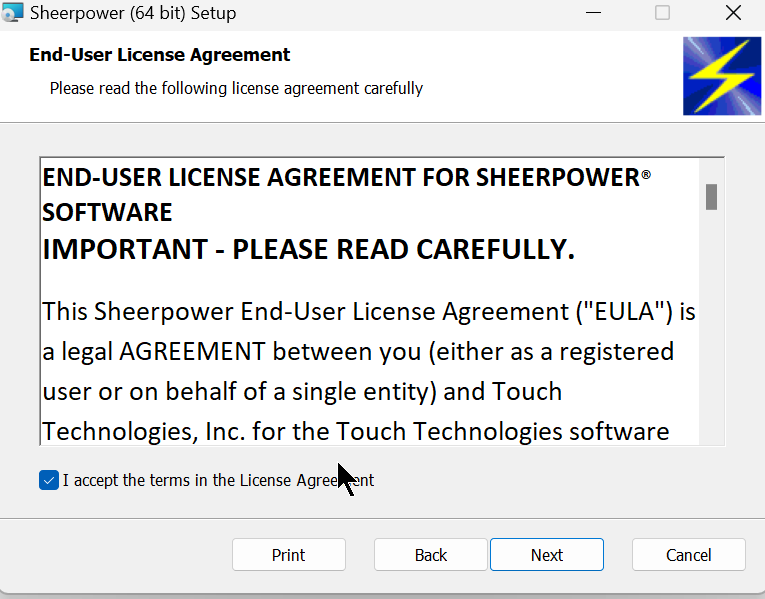
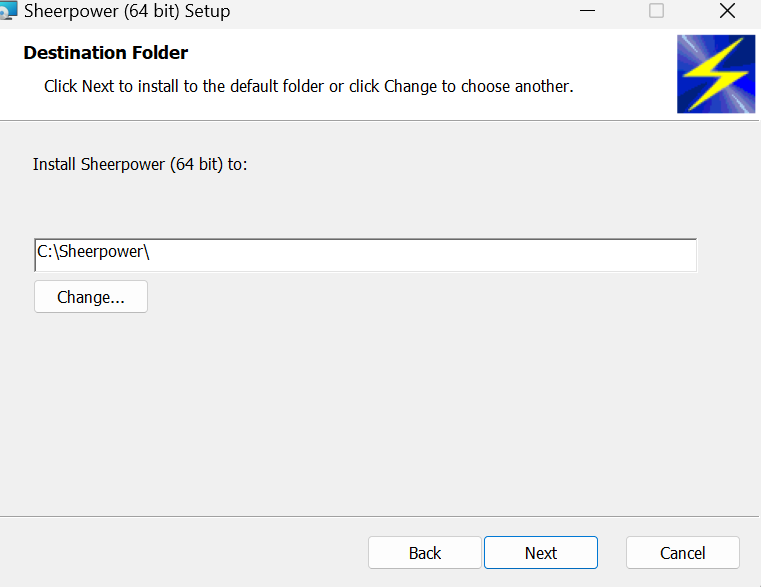
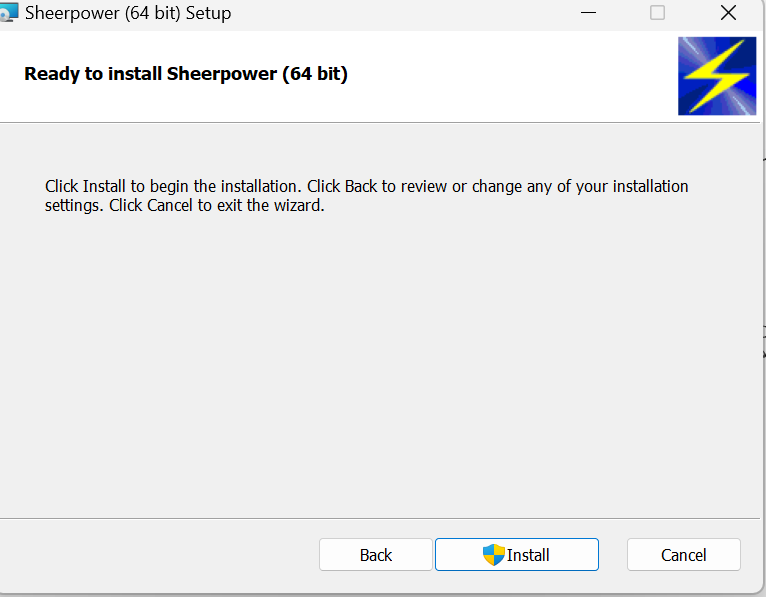
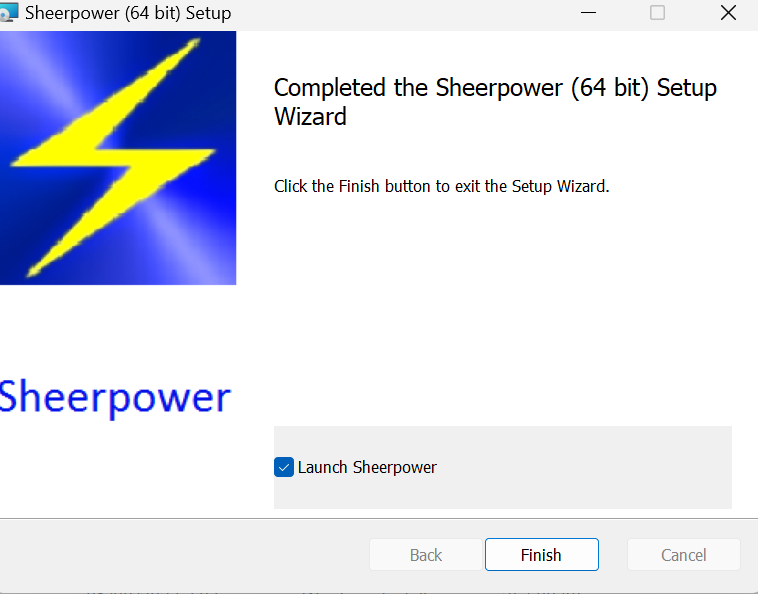
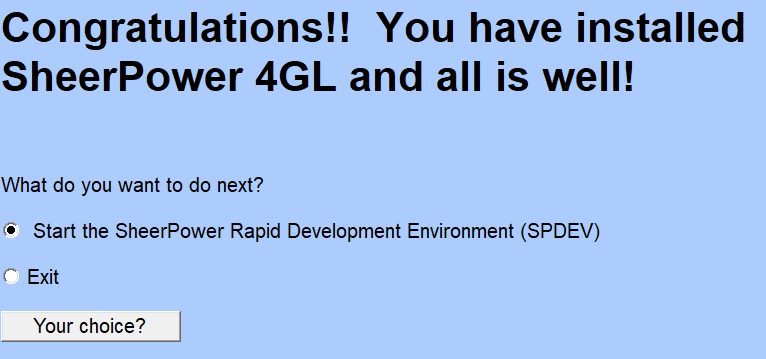
Below are the steps after double-clicking on the downloaded installer.
Some security programs judge a program by what it does rather than by what it is.
Signs that it happened
Below are the steps after double-clicking on the downloaded installer.
Choose More info
Choose Run anyway
Choose Next
Click on the checkbox next to I agree to the terms.. and then
click on Next
Choose Next
Choose Install
Choose Finish
Choose Your choice
If your antivirus marks sp4gl.exe as malware
The More info and Run anyway steps above answer a Windows warning about the downloaded installer. This section is about something else: a security program that later stopssp4gl.exe and moves it to
quarantine.Some security programs judge a program by what it does rather than by what it is.
sp4gl.exe compiles and runs your programs, and a busy program -- or a test suite -- can create, write
and delete many files in a few seconds. To a behavior-based detector that can look like ransomware, so it may stop
sp4gl.exe and quarantine it. This is a false positive: the sp4gl.exe that the
Sheerpower installer put in C:\Sheerpower is safe.Signs that it happened
C:\Sheerpower\sp4gl.exeis gone, or Windows says it cannot find it- every running Sheerpower program stopped at the same moment
- starting a program says Access is denied
- your security program showed a notice naming
sp4gl.exe-- Malwarebytes, for example, reportsMalware.Ransom.Agent.Generic
- Check that it is the Sheerpower file. The security program's history (its detection log) names the file:
it should be
C:\Sheerpower\sp4gl.exe, the one the Sheerpower installer put there. If the flagged file is somewhere else, or did not come from the Sheerpower installer, leave it in quarantine and reinstall Sheerpower from the official download. - Restore it from quarantine -- the steps for two common security programs are below. If Windows still says the file is in use, or access is denied, restart the computer.
- Add an exclusion for
C:\Sheerpower\sp4gl.exe, so it is not flagged again. Exclude only that file (or theC:\Sheerpowerfolder) -- never a whole drive. - Restart the programs that were stopped. A program that was running when
sp4gl.exewas quarantined was stopped with it, and does not start again by itself. - If you like, report the false positive to the maker of your security program, so later versions stop flagging it. Most makers have a file submission page for this.
Show me: Microsoft Defender (Windows Security)
- Open Windows Security (press Start and type Windows Security).
- Restore: Virus & threat protection → Protection history. Select the entry for
sp4gl.exe, then Actions → Restore (on some entries the choice is Allow on device). - Exclude: Virus & threat protection → under Virus & threat protection settings choose
Manage settings → Exclusions → Add or remove exclusions → Add an
exclusion → File, and pick
C:\Sheerpower\sp4gl.exe.
Show me: Malwarebytes
- Restore: open Malwarebytes, go to Detection History → Quarantine, select
C:\Sheerpower\sp4gl.exeand choose Restore. - Exclude: open the Allow List (under Detection History or Settings, depending on the
version) → Add → Allow a file or folder, pick
C:\Sheerpower\sp4gl.exe, and choose the option that excludes it from malware, ransomware or potentially unwanted item detections. The ransomware protection is the part that usually flagssp4gl.exe, so make sure the exclusion covers it.
Show me: other security programs
Norton, McAfee, Bitdefender, Avast, ESET, Sophos and the others work the same way: the quarantine is usually on a History, Quarantine or Threats page, and exclusions are under Exclusions, Exceptions or Allow list in the settings. Restoresp4gl.exe, then exclude
C:\Sheerpower\sp4gl.exe. On a company computer, ask your IT department: the exclusion may have to be
set centrally.